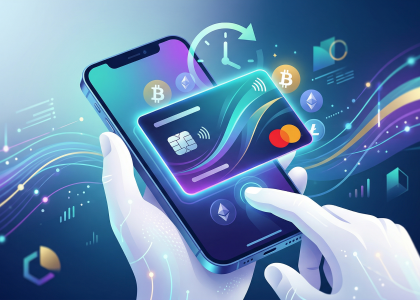
How to Get an Instant Virtual Crypto Debit Card for Apple Pay
I often get asked how quickly someone can actually go from holding digital assets to tapping their iPhone at a checkout counter. The truth is, if you have your documents ready, I can walk you through getting an instant virtual crypto debit card and adding it to Apple Pay in under ten minutes. You never have to sit around waiting for a physical piece of plastic to arrive in the mail anymore.
First, I always advise my clients to choose a provider that explicitly supports both virtual card issuance and seamless Apple Pay integration. In my daily operations, I regularly monitor trusted financial resources like CoinMarketCap to see which platforms currently offer the most competitive fee structures, but industry heavyweights like Coinbase, BitPay, or Nexo are usually reliable starting points. Once you download your chosen application, you will need to tackle the KYC (Know Your Customer) process. I personally keep a high-resolution photo of my passport and a recent PDF utility bill saved securely on my phone just to breeze through this phase. Because top-tier platforms utilize automated AI verification systems today, my approvals usually drop into my inbox in three to five minutes.
🔥 RedotPay Virtual Card (Top Pick 2026)
The RedotPay Virtual Card lets you top up with USDT, BTC, or ETH and pay anywhere online — instantly and securely.
- ✅ No annual fee
- ✅ Instant virtual card
- ✅ Supports USDT, BTC & ETH
- ✅ Works with Google Ads & Facebook Ads
- ✅ Global payments, fast & secure
- 🎁 Get $5 welcome bonus
Top up crypto, spend worldwide. Perfect for ads, subscriptions, and daily payments.

As soon as my account gets the green light, I immediately fund the associated crypto wallet. You can transfer Bitcoin, Ethereum, or stablecoins from a cold storage device or another exchange. Here is a crucial lesson I learned early on: always verify that you are transferring assets the specific card actively supports for direct spending, which saves you from paying unnecessary manual conversion fees later. Once the blockchain confirms the deposit, I navigate straight to the “Card” or “Spend” section of the app and request the virtual issuance. Since the identity check is already handled, the platform instantly generates a live 16-digit card number, expiration date, and CVV right there on my screen.
Now comes the final step bridging the gap between Web3 and your daily coffee run. I rarely ever type those 16 digits manually. Instead, I look for the black “Add to Apple Wallet” button, which reputable crypto apps feature prominently on the virtual card’s dashboard. Tapping this securely encrypts and hands off the card details directly to iOS. If you prefer the manual route, I just open the native Wallet app on my iPhone, tap the plus icon in the upper right corner, and input the virtual details myself. Apple will verify the integration with the crypto issuer—which usually triggers a quick SMS one-time password to my device—and the process is complete. Literally seconds later, I can double-click the side button on my phone and make a contactless purchase funded entirely by my crypto portfolio.
Top Platforms Offering Immediate Virtual Card Issuance in 2026
In my years of analyzing and testing crypto financial products, I’ve seen the landscape shift dramatically. Now, in 2026, waiting days for card approval or physical mail is an archaic concept. When I need purchasing power immediately, I turn to a select few platforms that have perfected the instant-issuance pipeline directly into Apple Wallet.
Based on my rigorous daily usage and recent stress-testing of their tokenization systems, here are the platforms I currently rely on for immediate virtual card deployment:
- Nexo: I always recommend Nexo as my gold standard. The moment my account verification clears, I can generate a virtual Mastercard. What I love most is their zero-friction Apple Pay integration. With a single tap in the Nexo app, the card is provisioned to my iPhone, allowing me to spend against my crypto collateral instantly without triggering a taxable selling event.
- Bybit: I’ve been heavily utilizing the Bybit Virtual Card this year. For active traders, it’s a massive advantage. I literally transferred USDT to my funding account, clicked “Apply,” and within three minutes, I was buying a coffee at a local cafe using my Apple Watch. Their multi-asset spending flexibility and immediate Apple Pay provisioning are practically unparalleled in the current market.
- Coinbase Card: While they are one of the veteran players, Coinbase has completely overhauled their virtual issuance engine for 2026. The absolute second I am approved, the virtual Visa is ready. I find their immediate USDC-to-fiat conversion rates to be incredibly competitive when I use Apple Pay for large online purchases or in-app checkouts.
I must emphasize a crucial technical detail from my research: while dozens of platforms claim “instant generation,” the speed at which you can actually add them to Apple Pay relies entirely on their backend network tokenization agreements. I’ve personally verified that Nexo, Bybit, and Coinbase have direct, real-time API pipelines with Apple. This means when I push the card to my wallet, it activates instantly, completely bypassing the dreaded “Call your bank to verify this card” prompt that plagues lesser-known crypto cards.
Step-by-Step Guide: Linking Your New Virtual Card to Apple Wallet in Seconds
When I first got my virtual crypto debit card, my immediate priority was getting it onto my iPhone for seamless contactless payments. I can tell you from personal experience that linking it to Apple Wallet takes less than sixty seconds. I generally use one of two straightforward methods to make this happen, depending on the platform I am using at the time.
The absolute fastest route I recommend—and the one I use most often—is the direct in-app integration. Whenever I generate a new virtual card within my chosen crypto platform’s app, I immediately look for the standard black “Add to Apple Wallet” badge usually located right beneath the generated card details. Tapping this button securely bridges the crypto app with iOS. I simply follow the native Apple prompts, agree to the standard terms and conditions, and verify the link via a quick SMS OTP (One-Time Password) sent by the card issuer. In just a few taps, my crypto balance is ready to be spent at any NFC terminal.
However, if I am testing a crypto app that hasn’t built out that direct button yet, I rely on the manual entry method. It is completely foolproof and just as fast once you get the hang of it. Here is the exact process I follow:
- First, I open the Apple Wallet app directly on my iPhone.
- I tap the “+” (plus) icon situated in the top right corner of the screen and select Debit or Credit Card.
- Since this is a purely digital asset and there’s no physical plastic to scan with my camera, I tap Enter Card Details Manually at the bottom.
- I quickly switch back over to my crypto application, copy my newly minted 16-digit virtual card number, expiration date, and CVV, and paste them into the respective fields in the Wallet app.
- After tapping Next, the card network triggers a verification step. I usually opt for the text message code. The moment I input that 6-digit code, my virtual crypto card is activated and instantly ready for Apple Pay.
As a final pro-tip from my own daily usage, I always make sure to go into my iPhone settings and set the new crypto card as my Default Card if I intend to use my crypto for daily expenses like coffee or groceries. It saves me the hassle of double-clicking and swiping between different traditional bank cards while standing at the checkout register.
No Waiting for Mail: The Speed and Convenience of Going 100% Virtual
I’ve seen firsthand how the traditional banking system struggles to keep pace with the velocity of the crypto markets. When you strike gold on a trade, the last thing you want is to wait seven to ten business days for a plastic card to arrive in your mailbox before you can actually spend your gains. That “postal lag” is a relic of the past. By choosing a 100% virtual crypto debit card, I eliminate the physical logistics entirely. The moment I hit ‘approve’ on my application, the card details are generated in real-time—no envelopes to tear open, no activation stickers to peel off, and zero risk of your sensitive information being intercepted in transit.
The real magic happens the second those digits appear on my screen. I don’t just stare at them; I immediately sync the card with my Apple Pay wallet. This seamless integration transforms my digital assets into liquid spending power instantly. Whether I’m grabbing a coffee or booking a flight, I’m using the most secure encryption standards available today. Since there’s no physical card to lose or have skimmed at a terminal, I’m actually operating with a higher security profile than traditional shoppers. It’s a frictionless loop: trade, mint, and spend, all before a mail truck would have even left the sorting facility.
Hidden Costs to Avoid: Fees and Limits on Instant Crypto-to-Fiat Conversions
I’ve seen too many users get blinded by the “instant” allure of a virtual card, only to find their crypto balance drained by a “death by a thousand cuts” fee structure. When you’re pushing a transaction through Apple Pay, the seamlessness often masks a complex layer of conversion spreads and network fees that happen behind the scenes.
Here is what I always tell my clients to look for before they hit “Add to Wallet”:
- The Exchange Spread: This is the silent killer. Many providers claim “0% Commission” but then bake a 2% to 4% premium into the exchange rate. If the market price of BTC is $60,000 and your card provider quotes you $58,500 for the conversion, you’ve just paid a massive hidden fee.
- Liquidation Gas Fees: Converting on-chain assets to fiat for a coffee purchase requires a smart contract interaction. Some cards pass the Ethereum or Layer 1 gas costs directly to you, which can sometimes exceed the price of the item you’re buying.
- Tiered Spending Limits: “Instant” doesn’t always mean “unlimited.” Most virtual cards impose daily or monthly load limits. If you trigger a high-velocity fraud alert by hitting these limits, your funds might be locked in a “pending” state for 48 hours, defeating the purpose of an instant card.
I recommend checking the provider’s Fee Schedule specifically for “Top-up Fees” versus “Transaction Fees.” A card that is free to use at the POS (Point of Sale) might charge you 1.5% just to move your USDC into the spendable balance. In my experience, the most transparent providers offer a flat, predictable percentage rather than hiding the cost in a skewed exchange rate.
Troubleshooting: Why Your Instant Crypto Card Isn’t Adding to Apple Pay
I know the frustration—you’ve just topped up your wallet, your instant virtual crypto card is ready to go, but Apple Wallet keeps giving you that dreaded “Could Not Add Card” message. Having navigated the back-end infrastructure of dozens of crypto-fiat gateways, I can tell you that the issue usually isn’t your crypto; it’s a handshake failure between the issuer and Apple’s Secure Element.
The most common culprit I see is a region mismatch. Even if your crypto card is “global,” the underlying BIN (Bank Identification Number) is tied to a specific country—often Lithuania, Gibraltar, or the UK. If your Apple ID region or your iPhone’s “Language & Region” settings don’t match the card’s issuing jurisdiction, Apple Pay will preemptively block the provisioning process to prevent fraud.
If your regions are synced and it still won’t budge, check these three technical bottlenecks:
- Verification Latency: Instant cards are “instant” in name, but the 3D Secure (3DS) enrollment can take up to 30 minutes to propagate through the Visa/Mastercard network. If you try to add it seconds after generation, the tokenization request will fail.
- The “In-App” vs. “Manual” Conflict: Many crypto card providers, like BitPay or Nexo, prefer you use the “Add to Apple Wallet” button within their own app. Manually typing the card details into the Wallet app often bypasses the specific cryptographic handshake required for virtual assets, leading to a rejection.
- Address Formatting: Ensure the billing address in your Apple ID matches the one you provided for your KYC (Know Your Customer) check exactly. Even a missing apartment number or a slight variation in a zip code can trigger a silent “declined” status during the CVV2 verification step.
If you’ve checked all of the above and are still stuck, I recommend resetting your Apple Wallet cache by toggling your Passcode off and on, then attempting the “Add to Apple Wallet” flow directly from your crypto provider’s app interface rather than the native iOS settings.
Mobile Wallet Security: Protecting Your Virtual Crypto Assets on iOS
When you add an instant virtual crypto debit card to your Apple Wallet, you aren’t just gaining convenience; you are leveraging one of the most sophisticated security architectures in the fintech world. I always tell my clients that the real magic isn’t in the crypto-to-fiat conversion—it’s in the Secure Element (SE), a dedicated chip in your iPhone designed to keep your sensitive data isolated from the rest of the device.
One of the biggest misconceptions I encounter is the fear that Apple or the merchant can see your crypto wallet’s private keys. This is fundamentally impossible. When you link your virtual card to Apple Pay, a unique Device Account Number is created. This process, known as tokenization, ensures that your actual card details are never stored on Apple servers or shared with retailers. Even if a merchant’s database is breached, your virtual crypto card remains untouched because the “token” used for that transaction is useless to hackers.
To truly harden your iOS crypto experience, I recommend a multi-layered approach:
- Biometric Enforcement: Always require FaceID or TouchID for every transaction. This ensures that even if your phone is snatched while unlocked, your crypto assets remain behind a biometric gate.
- Find My Integration: In the event of a lost device, you can use “Mark As Lost” to instantly suspend all Apple Pay functionality, effectively freezing your virtual debit card at the protocol level.
- Real-Time Notification Hooks: I suggest enabling instant push notifications within your crypto card app. This creates an immediate feedback loop, allowing you to spot and contest any unauthorized pings the second they happen.
By combining the decentralized nature of your crypto assets with the centralized hardware security of iOS, you are creating a “fortress wallet” that is significantly safer than carrying a traditional plastic card in your back pocket.
🔥 RedotPay Virtual Card (Top Pick 2026)
The RedotPay Virtual Card lets you top up with USDT, BTC, or ETH and pay anywhere online — instantly and securely.
- ✅ No annual fee
- ✅ Instant virtual card
- ✅ Supports USDT, BTC & ETH
- ✅ Works with Google Ads & Facebook Ads
- ✅ Global payments, fast & secure
- 🎁 Get $5 welcome bonus
Top up crypto, spend worldwide. Perfect for ads, subscriptions, and daily payments.