Understanding the Crypto Withdrawal Process on RedotPay
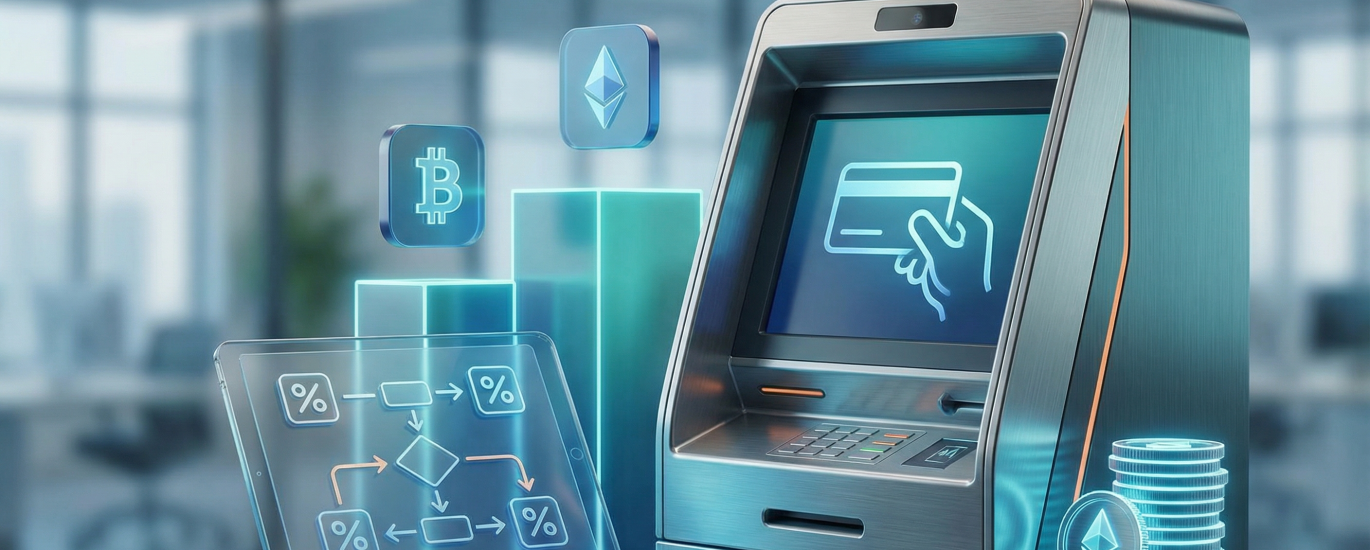
Let me walk you through exactly how I handle crypto withdrawals using the RedotPay system. When I want to turn my digital assets into physical cash, I rely heavily on my RedotPay physical card. The process is remarkably straightforward because you can easily withdraw cash at any ATM worldwide that supports major credit card networks.
However, as an expert in virtual cards, I always carefully calculate the fees before I make a withdrawal to maximize my funds. Understanding the exact fee structure is crucial for efficient crypto management. Here is the breakdown I use to keep my withdrawal costs predictable:
🔥 RedotPay Virtual Card (Top Pick 2026)
The RedotPay Virtual Card lets you top up with USDT, BTC, or ETH and pay anywhere online — instantly and securely.
- ✅ No annual fee
- ✅ Instant virtual card
- ✅ Supports USDT, BTC & ETH
- ✅ Works with Google Ads & Facebook Ads
- ✅ Global payments, fast & secure
- 🎁 Get $5 welcome bonus
Top up crypto, spend worldwide. Perfect for ads, subscriptions, and daily payments.
- Crypto Conversion: First, whenever crypto is converted for a fiat transaction or withdrawal, I always account for the standard 1% crypto conversion fee.
- HKD Card Withdrawals: If I am using my HKD physical card at an ATM, I factor in a flat 2% ATM withdrawal fee.
- USD Card Withdrawals: When I switch to my USD card, the ATM fee depends on my monthly volume. If my monthly ATM withdrawal limits are ≤ 10,000 USD, I pay a 2% fee. Once my withdrawals exceed 10,000 USD in a given month, that fee increases to 3%.
Beyond the direct ATM withdrawal fees, I also keep a close eye on general transaction and currency costs. If I am making transactions in my exact card currency, I enjoy the benefit of paying no fee. But if I happen to make transactions in other currencies, I make sure to account for an additional 1.2% fee. By keeping these exact percentages in mind, I can seamlessly manage my crypto-to-cash withdrawal process without ever getting hit by surprise charges.
Essential Prerequisites Before Transferring Your Funds
Before you initiate any transfer to your RedotPay wallet, I cannot stress enough how vital it is to understand the underlying cost structure and technical requirements. Ensuring your assets move smoothly isn’t just about the “send” button; it’s about preparing your account to handle the conversion and subsequent spending without surprises.
1. Understand the Fee Architecture
I always advise my clients to factor in the specific fee schedule before moving large volumes of crypto. When you use your RedotPay card, you need to account for a 1% Crypto conversion fee that applies when your digital assets are converted for payment. Additionally, if you are transacting in a currency different from your card’s base currency, a 1.2% fee will be applied to those transactions. Being aware of these margins ensures you transfer enough collateral to cover both your intended purchase and the associated service costs.
2. Verify Your Card Status and Limits
Before transferring funds, double-check that your card is active within the app. If you intend to use an ATM for physical cash withdrawal, remember that this feature is exclusively available for physical card holders at supported major credit card networks. I also recommend reviewing your monthly limits; for USD cards, withdrawals up to $10,000 incur a 2% fee, while exceeding that threshold increases the fee to 3%.
3. Security and Network Matching
I highly recommend Managing Your RedotPay Card Security Settings prior to your first deposit. This includes setting up Two-Factor Authentication (2FA) to protect your incoming assets. Most importantly, when you are ready to “withdraw” from an external exchange to RedotPay, ensure the blockchain network matches exactly on both ends (e.g., USDT via Binance Smart Chain or TRON). A mismatch here will result in a permanent loss of funds before they ever reach your RedotPay wallet.
Expert Tip: If you encounter issues during the process, refer to our guides on What steps can I take to avoid payment rejections? or What should I do if an error occurs on the RedotPay payment page? to troubleshoot in real-time.
Step-by-Step Guide: How to Withdraw Crypto to RedotPay Card
To help you move your digital assets onto your RedotPay card seamlessly, I have outlined the essential steps below. Whether you are using the virtual or physical version, the process is designed to be intuitive, ensuring your funds are ready for global spending in no time.
Step 1: Locate Your Deposit Address
Supported Blockchains and Cryptocurrencies for Deposits
When I fund my RedotPay account, I always double-check both the asset and the network to ensure a smooth transfer. In my daily use, I’ve found that RedotPay offers great flexibility by supporting the most essential cryptocurrencies. I can easily deposit major assets such as Bitcoin (BTC), Ethereum (ETH), USD Tether (USDT), and USD Coin (USDC) straight to my card’s wallet.
What I find particularly useful is the variety of supported blockchains, allowing me to optimize for speed and gas fees. When depositing stablecoins, I usually opt for the Tron (TRC20) or BNB Smart Chain (BEP20) networks to keep my transfer costs down, though the Ethereum (ERC20) and Arbitrum networks are also fully integrated and reliable options. Once my deposit is confirmed on the blockchain, the balance is ready to use almost immediately. However, I always factor in that whenever I make a purchase or ATM withdrawal using these crypto balances, RedotPay applies a standard 1% crypto conversion fee during the transaction.
How to Withdraw Physical Cash at ATMs Using Your RedotPay Card
Whenever I need physical cash, I rely heavily on the flexibility of my RedotPay card. I can confirm from my own daily use that I can easily withdraw cash using my physical card at any ATM worldwide that supports major credit card networks.
Before heading to the ATM, I always double-check the fee structure to ensure I am getting the most out of my crypto. Based on the official parameters I follow, here is the exact fee breakdown I keep in mind when withdrawing funds:
| Transaction / Fee Type | Rate / Fee |
|---|---|
| ATM withdrawal fee – HKD card | 2% |
| ATM withdrawal fee – USD card (Monthly Limits ≤ 10,000 USD) | 2% |
| ATM withdrawal fee – USD card (Monthly Limits > 10,000 USD) | 3% |
| Transactions in card currency | No fee |
| Transactions in other currencies | 1.2% |
| Crypto conversion | 1% |
When I am traveling and withdrawing cash in a foreign country, I make sure to account for how these fees stack up. For example, if my card is denominated in USD but I withdraw local currency at a foreign ATM, I will be looking at the base ATM withdrawal fee (either 2% or 3% depending on my monthly volume), a 1.2% transaction fee for withdrawing in a different currency, and the standard 1% crypto conversion fee. Keeping these exact figures straight helps me seamlessly bridge my digital assets into the physical world!
Transfer Fees, Network Gas, and Processing Times Explained
When you transfer your digital assets to your RedotPay wallet, I want you to have a crystal-clear understanding of the costs involved. It isn’t just about the numbers you see on the screen; it’s about timing and network selection. Based on my expertise, here is exactly how the fee structure and processing mechanics work for your card.
Understanding the Fee Structure
I always remind users that there are two distinct layers of costs when moving funds. First, there is the Network Gas Fee. This is not charged by RedotPay, but by the blockchain itself (like Ethereum or TRC20). To keep your costs low, I recommend using networks like TRC20 or BSC, as ERC20 fees can fluctuate significantly depending on global traffic.
Once your crypto is in your wallet and you are ready to spend or withdraw, RedotPay applies specific service fees that you must keep in mind:
| Transaction Type | Fee Rate |
|---|---|
| Crypto Conversion | 1% |
| Transactions in Other Currencies (Non-card currency) | 1.2% |
| ATM Withdrawal (USD Card) | 2% (Monthly limits ≤ $10,000) |
| ATM Withdrawal (HKD Card) | 2% |
If you exceed a monthly ATM withdrawal limit of $10,000 USD, please note that the fee increases to 3% for the remaining balance. However, if you are making transactions in the card’s base currency, there is no transaction fee.
Processing Times and Network Gas
I often get asked how long it takes for funds to appear. Generally, once the blockchain reaches the required number of confirmations, your balance updates almost instantly. For USDT via TRC20, this usually takes between 2 to 5 minutes. If you are using Bitcoin, it may take 10 to 30 minutes depending on network congestion.
Expert Tip: Always double-check the destination address and the network type. Sending crypto via the wrong network (e.g., sending BTC to an ERC20 address) will result in a permanent loss of funds.
For more detailed troubleshooting on specific payment issues, I suggest reviewing What should I do if an error occurs on the RedotPay payment page? or our guide on Managing Your RedotPay Card Security Settings to ensure your transactions are never interrupted.
Troubleshooting Common Crypto Deposit and Withdrawal Issues
In my experience helping users navigate the RedotPay ecosystem, I’ve noticed that most “missing funds” or withdrawal hiccups actually stem from a misunderstanding of the fee structure rather than technical glitches. If you are looking at your balance and wondering why the math isn’t mathing after a transaction, let me break down what I always check first.
If your deposit or withdrawal amount looks slightly lower than expected, remember that every crypto conversion comes with a strict 1% fee. Furthermore, if you are making transactions in currencies other than your card’s native currency, you will incur an additional 1.2% fee. Transactions in your exact card currency, however, carry absolutely no fee.
When you attempt to withdraw cash using your physical RedotPay card—which I can confirm works at any ATM that supports major credit card networks—you need to account for specific ATM withdrawal limits and fees. If your withdrawal fails due to insufficient funds, check if you factored in these exact costs:
- For HKD Cards: A flat 2% ATM withdrawal fee applies.
- For USD Cards: If my monthly ATM withdrawal volume is 10,000 USD or less, the fee is 2%. The moment I exceed that 10,000 USD monthly limit, the fee bumps up to 3%.
Sometimes, I hear from users who experience an ATM cash withdrawal failure, only to see that their account balance was still deducted. If this happens to you, do not panic. This is usually a temporary pre-authorization hold or a communication error on the ATM network’s side. I strongly recommend checking your RedotPay Card Security Settings first to ensure your card wasn’t flagged or locked during the process. If an error occurs on the RedotPay payment page or at the ATM, document the time and location to provide to our support team.
To avoid payment rejections entirely, I always suggest keeping a close eye on your rolling 30-day withdrawal limits and ensuring you hold enough crypto balance to cover both the requested fiat amount and the associated conversion and network fees.
Best Practices for Securing Your Crypto Transfers
When I transfer my assets to RedotPay, I treat security as a non-negotiable priority. Moving crypto isn’t just about clicking “send”; it’s about ensuring every layer of the transaction is fortified to protect your hard-earned funds. Based on my experience with the platform, here are the essential practices I follow to keep my transfers seamless and secure.
First and foremost, I always double-check the network compatibility. Sending USDT via ERC-20 to a TRC-20 address is a one-way ticket to losing your funds. I make it a habit to copy and paste addresses rather than typing them manually, and I verify the first and last four digits once the address is in the “Withdrawal” field. If I am moving a significant amount, I perform a small “test transfer” first. While this incurs a small fee, it provides peace of mind before moving the bulk of my balance.
Managing my card settings is equally vital for long-term security. I highly recommend reviewing the Managing Your RedotPay Card Security Settings guide to customize your spending limits and toggle features like ATM withdrawals or online payments. Speaking of costs, I keep a close eye on the fee structure to avoid surprises during my transfers:
| Transaction Type | Fee Rate |
|---|---|
| Crypto Conversion | 1% |
| Transactions in Other Currencies | 1.2% |
| Transactions in Card Currency | No fee |
I also ensure that my Two-Factor Authentication (2FA) is active on both my originating exchange and the RedotPay app. This creates a mandatory secondary barrier that even a compromised password cannot bypass. If I ever encounter a snag—such as a payment rejection or a technical glitch—I immediately consult resources like “What should I do if an error occurs on the RedotPay payment page?” to resolve the issue through official channels rather than seeking help from unverified third parties.
By staying vigilant about network selection and proactively managing my security settings, I ensure that my bridge from the blockchain to real-world spending remains both fast and bulletproof.
🔥 RedotPay Virtual Card (Top Pick 2026)
The RedotPay Virtual Card lets you top up with USDT, BTC, or ETH and pay anywhere online — instantly and securely.
- ✅ No annual fee
- ✅ Instant virtual card
- ✅ Supports USDT, BTC & ETH
- ✅ Works with Google Ads & Facebook Ads
- ✅ Global payments, fast & secure
- 🎁 Get $5 welcome bonus
Top up crypto, spend worldwide. Perfect for ads, subscriptions, and daily payments.