What is RedotPay and Why Choose Its Virtual Crypto Card?
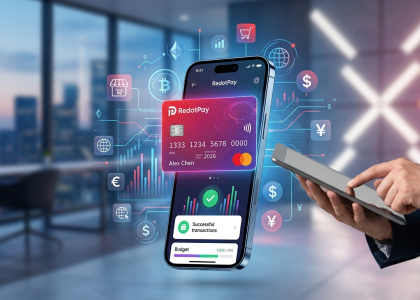
RedotPay is a Hong Kong-based Web3 payment provider that solves one of the most persistent headaches in our industry: friction-heavy off-ramping. Instead of routing your funds through centralized exchange P2P markets and risking frozen traditional bank accounts, RedotPay offers a Visa-backed virtual card that links directly to a built-in crypto wallet. When you make a purchase, the platform’s backend liquidates the exact required amount of your digital assets—typically USDT, USDC, BTC, or ETH—to settle the merchant’s fiat transaction in real-time.
I have personally tested dozens of crypto cards over the past five years. Most suffer from the same fatal flaws: clunky top-up mechanics, high friction when binding to mobile wallets, or abrupt service cancellations. RedotPay actively avoids these pitfalls. Here is exactly why I currently recommend adding their virtual card to your financial stack:
🔥 RedotPay Virtual Card (Top Pick 2026)
The RedotPay Virtual Card lets you top up with USDT, BTC, or ETH and pay anywhere online — instantly and securely.
- ✅ No annual fee
- ✅ Instant virtual card
- ✅ Supports USDT, BTC & ETH
- ✅ Works with Google Ads & Facebook Ads
- ✅ Global payments, fast & secure
- 🎁 Get $5 welcome bonus
Top up crypto, spend worldwide. Perfect for ads, subscriptions, and daily payments.
- Native Apple Pay and Google Pay Integration: This is a massive differentiator. Many offshore virtual crypto cards fail at the BIN (Bank Identification Number) level when trying to bind to major mobile wallets. RedotPay’s virtual card binds seamlessly. You can generate the card and immediately spend your crypto via NFC anywhere in the world that accepts contactless Visa payments.
- True Real-Time Conversion: You do not need to manually convert your USDT to USD or EUR within the app before making a purchase. You keep your balances in crypto right up until the point of sale. The platform handles the automated conversion at the exact second you swipe or tap.
- Regulatory Foundation: In a sector filled with fly-by-night operators, legal compliance dictates longevity. RedotPay operates under a Hong Kong Trust or Company Service Provider (TCSP) license. While no crypto product is entirely immune to regulatory shifts, this framework provides a significantly stronger layer of asset protection compared to unlicensed competitors.
- Broad Global Accessibility: Major players like the Coinbase or Crypto.com cards heavily gatekeep their user bases by region, often limiting access strictly to US, UK, or EU residents. RedotPay targets a wider global demographic, making it highly accessible for users in emerging markets who struggle to get reliable crypto-to-fiat off-ramps.
We will dive into the specific fee structures and limits shortly, but from a purely functional standpoint, the RedotPay virtual card currently serves as one of the cleanest, most reliable bridges between your blockchain assets and your daily offline spending.
Key Requirements: What You Need Before Applying
You cannot successfully mint a RedotPay virtual card without having specific documents and technical prerequisites ready. In my years of testing and reviewing crypto-fiat gateways, I see users fail the onboarding process mostly because they scramble for documents mid-application or reside in an unsupported region. Let’s lock down exactly what you need in hand right now.
1. Geographic Eligibility
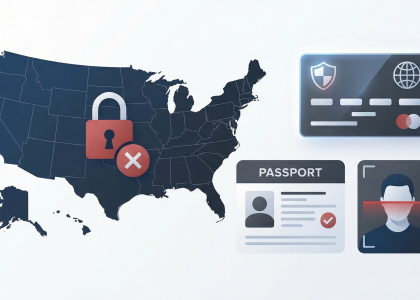
Before you do anything else, verify your residency. RedotPay operates globally but strictly adheres to international compliance standards. If your proof of identity ties back to any of the following regions, your application will be automatically rejected:
- United States of America
- Mainland China
- Sanctioned territories (including North Korea, Iran, Syria, and specific regions of Ukraine)
2. Legal Identification (For KYC)
We will dive deeper into the actual KYC steps later, but you must have a valid, unexpired government-issued document ready right now. You must also be at least 18 years old. Here is how I rank the best documents for a frictionless approval:
| Document Type | Approval Speed & Success Rate | Expert Note |
|---|---|---|
| Passport | High / Instant | Always my top recommendation. The standardized MRZ (Machine Readable Zone) ensures the automated KYC vendor approves you in seconds. |
| National Identity Card | Medium | Works well if the card contains English text. Purely local-language IDs might trigger a manual review, delaying your card issuance. |
| Driver’s License | Low to Medium | Often rejected if it lacks clear security features or if the address doesn’t match your stated residency. Use only as a last resort. |
3. Technical Requirements
RedotPay is a mobile-first platform. There is no web-based dashboard for card issuance. You will need:
- A smartphone running a recent version of iOS or Android.
- A high-quality, functioning smartphone camera. The KYC provider requires a live selfie to match against your ID. A blurry front-facing camera will fail the liveness check.
- A stable internet connection. I strongly advise against using a VPN during registration; mismatched IP addresses and ID locations often trigger automated anti-fraud flags, instantly locking your new account.
4. Funding Preparation
The virtual card is not issued for free. You must have an external crypto wallet (like Trust Wallet or MetaMask) or an exchange account (like Binance, Bybit, or OKX) with sufficient funds to cover the initial setup. You need to prepare exactly $10 USD in a supported cryptocurrency (USDT, USDC, BTC, or ETH) to pay the one-time virtual card issuance fee.
A quick pro-tip from my side: hold this $10 in USDT or USDC on a low-fee network like Tron (TRC20) or BNB Smart Chain (BEP20). If you try to fund your account using Ethereum (ERC20), the network gas fees might end up costing you more than the card itself.
Step-by-Step Guide: How to Get Your RedotPay Virtual Card
Getting the card configured in your digital wallet is a highly streamlined process. I’ve walked dozens of clients through this, and assuming your documents are prepared, you can go from downloading the application to making your first contactless transaction in under ten minutes. Let’s walk through the exact execution.
Step 1: Downloading the App and Registering an Account
Skip the desktop browser; RedotPay operates exclusively through its dedicated mobile environment. Navigate to the Apple App Store or Google Play Store and download the official RedotPay application. Once installed, initiate registration using either an email address or a mobile phone number.
I consistently advise using an email address secured with robust 2FA for any crypto-linked financial service, rather than relying on SMS, which remains vulnerable to SIM-swap attacks. During registration, you will see a field for a referral code. Enter a valid code here if you have one—it typically drops a $5 bonus into your account, immediately offsetting half of your upcoming card issuance fee.
Step 2: Completing Identity Verification (KYC)
Because the platform bridges digital assets with traditional Visa fiat rails, strict KYC compliance is unavoidable. Head to your profile settings and trigger the verification flow. You will need a valid government-issued ID (passport, national ID, or driver’s license) and a live device camera for a facial recognition scan.
- The Expert Trick to Avoid Rejection: The automated verification system is notoriously sensitive to light glare. Place your physical ID on a dark, solid-colored surface in natural, indirect lighting. Ensure all four corners of the document are perfectly visible within the camera frame.
If your images are crisp, the algorithm typically clears your account for full operation within 3 to 5 minutes.
Step 3: Depositing Crypto to Fund Your Wallet
Before applying for the card itself, your wallet requires liquidity to cover the issuance fee ($10 USD equivalent) and your initial spending balance. Navigate to the “Deposit” tab. RedotPay currently accepts Bitcoin (BTC), Ethereum (ETH), USD Coin (USDC), and Tether (USDT).
To maximize your capital efficiency, avoid routing deposits over the Ethereum mainnet (ERC-20). The network gas fees will unnecessarily eat into your capital. I highly recommend depositing USDT via the TRC20 (Tron) or BEP20 (Binance Smart Chain) networks. The transaction fees here usually hover around $1 or less, and the transfer will reflect in your RedotPay wallet in under two minutes. Always verify that your sending network perfectly matches your receiving address before authorizing the withdrawal from your exchange.
Step 4: Applying For and Activating Your Virtual Card
With a funded wallet and an approved KYC status, tap the “Cards” tab on the bottom navigation bar and select the Virtual Card tier.
You will be prompted to supply a billing address. Use your actual, verifiable residential address. Mismatches between this billing address and the address you use on merchant checkout pages (like Amazon or regional e-commerce platforms) are a primary trigger for automated anti-fraud declines.
Authorize the $10 USD issuance deduction from your crypto balance. The approval and card generation are instantaneous. Your 16-digit card number, expiration date, and CVV are now live and accessible within the app interface.
To bypass the friction of typing card details manually for every purchase, immediately tap the “Add to Apple Wallet” or “Add to Google Pay” button displayed below your new digital card. Complete the biometric confirmation on your device, and your crypto balance becomes instantly spendable at any point-of-sale terminal globally that accepts Visa payments.
Step 1: Downloading the App and Registering an Account
Always download the RedotPay application directly from official sources to avoid malicious clones. I’ve seen too many users lose funds to phishing applications masquerading as official crypto wallets on third-party app stores. Head directly to the Apple App Store or Google Play Store and search for “RedotPay,” or pull the official download link straight from their verified website.
Once the app is installed, open it and tap “Sign Up.” You have the option to register using either a mobile phone number or an email address. In my daily practice advising on crypto security, I strongly recommend using a dedicated, secure email address (such as ProtonMail) over a mobile number for your primary registration. SIM-swapping attacks remain a significant vulnerability in our industry, making an email address combined with an app-based authenticator a much safer baseline for your financial accounts.
- Enter your details: Input your email or phone number and tap to request the verification code.
- Verify and set a password: Enter the 6-digit code sent to your inbox or SMS. Immediately create a robust login password. Do not recycle passwords you use for your centralized exchanges (CEXs) or other web3 wallets. Compartmentalization is key.
- Apply a referral code: You will see an optional field for a Referral ID on this screen. If you have a valid code, you must enter it right now. RedotPay frequently runs user acquisition campaigns where entering a code at registration grants a welcome bonus—typically around $5 USD. This bonus effectively subsidizes the virtual card issuance fee we will cover in later sections, so do not leave this field blank if you have a code.
Before you rush into the KYC process, I enforce one strict rule with my clients: lock down the account first. Navigate to your new profile settings, select “Security,” and bind Google Authenticator (2FA) immediately. Do not rely on SMS verification. Securing your login layer right out of the gate ensures your foundation is solid before you even think about depositing assets or minting the virtual card.
Step 2: Completing Identity Verification (KYC)
Getting your account verified is non-negotiable; RedotPay operates under strict global Anti-Money Laundering (AML) directives to maintain its fiat gateways. I always tell my clients that rushing the KYC (Know Your Customer) process is the number one reason for delayed card issuance or unexpected account freezes later on. Let’s walk through exactly how to clear this hurdle on your first attempt.
Open your RedotPay app and navigate to your profile settings in the top left corner. Tap on the “Identity Verification” prompt to initiate the sequence.
- Select your nationality and document type: You will be asked to choose the country that issued your ID. From my years of testing dozens of crypto card platforms, passports universally yield the fastest automated approval rates. National ID cards and driver’s licenses are fully supported for most jurisdictions, but non-standard regional formats or worn-out cards occasionally force a slower manual review.
- Capture your document: The app will access your camera to take photos of the front and back of your ID. Lay your document flat on a dark, non-reflective surface in natural daylight. Automated OCR (Optical Character Recognition) software will instantly reject your submission if there is even a hint of flash glare covering your photo, legal name, or document number.
- Complete the liveness check: You will need to frame your face within an on-screen oval and perform a simple motion, like slowly rotating your head or blinking. Remove any glasses, hats, or masks. Make sure you are facing a light source; having a bright window directly behind you will cast your face in shadow and cause the biometric detection to fail.
Once you hit submit, the algorithmic verification engine takes over. Under optimal conditions, RedotPay processes standard applications within 2 to 5 minutes. You will receive an in-app push notification confirming your verified status.
Expert Tip: Ensure the details you enter into the app perfectly match the legal information on your ID. A common pitfall I see is users entering a nickname, omitting a middle name, or using a localized translation of their name. Any mismatch between your input and the OCR data read from your ID will immediately trigger a frustrating manual review loop.
If your application gets flagged for manual review due to low image quality or minor data discrepancies, expect a waiting period of 24 to 48 hours. Keep an eye on your registered email for any correspondence from RedotPay support; they may request a clearer photo or, in rare compliance edge cases, a secondary proof of residential address before giving you the green light to fund your wallet.
Step 3: Depositing Crypto to Fund Your Wallet
Open the RedotPay app and navigate directly to the Deposit section on your main dashboard. This is where we bridge your external crypto assets into the fiat-ready environment of your upcoming virtual card. Since you’ve already cleared your KYC, your deposit limits are fully unlocked, and your account is ready to receive funds.
From my experience managing various crypto-to-fiat gateways, the most common hurdle here isn’t navigating the app interface, but selecting the optimal network to minimize your transfer costs. RedotPay supports top-tier liquid assets like USDT, USDC, BTC, and ETH. I strongly advise funding your wallet using a stablecoin like USDT or USDC. Doing so ensures that price volatility won’t wipe out a chunk of your purchasing power while you are in the middle of getting your card set up.
Here is my recommended approach to executing the transfer safely and efficiently:
- Select Your Asset: Tap on USDT (or your preferred cryptocurrency) within the deposit menu.
- Choose the Right Network: This step requires absolute precision. You will see options like TRC20, ERC20, BEP20, and Arbitrum.
- Copy the Deposit Address: Tap the copy icon next to the alphanumeric address provided, or use your external wallet app to scan the displayed QR code.
- Execute the Transfer: Open your external exchange (such as Binance, OKX, or Kraken) or your self-custodial wallet (like MetaMask or Trust Wallet). Paste the RedotPay deposit address, ensure the withdrawal network matches exactly, and confirm the transaction.
To help you choose the best transfer route, I put together a quick comparison of the most popular networks you will likely use to fund this wallet:
| Network | Average Exchange Withdrawal Fee | Confirmation Speed | My Verdict |
|---|---|---|---|
| TRC20 (Tron) | ~$1.00 | 1-3 mins | Best overall for USDT. Reliable, fast, and highly cost-effective across most major exchanges. |
| BEP20 (BSC) | $0.20 – $0.50 | < 1 min | Cheapest option. Ideal if you are moving your funds out of Binance. |
| ERC20 (Ethereum) | $5.00 – $25.00+ | 5-15 mins | Avoid unless strictly necessary. Network gas fees will unnecessarily eat into your spending balance. |
A strict warning from the trenches: Never mix networks. I’ve seen countless users permanently lose their funds because they hastily sent BEP20 tokens to a TRC20 address. Blockchain transactions are irreversible. The network you select on your withdrawing exchange must perfectly match the network selected on your RedotPay deposit screen. If you are doing this for the first time, send a small test transaction of $5 to verify the route.
Always verify the Minimum Deposit Amount listed in the fine print at the bottom of the RedotPay screen. Sending an amount below this specific threshold will result in a failed credit, and those micro-funds are not recoverable. Once you initiate the transfer correctly, block confirmations happen rapidly, and the funds will appear in your RedotPay wallet within just a few minutes, giving you the necessary balance to pay the issuance fee and activate your virtual card.
Step 4: Applying For and Activating Your Virtual Card
With your wallet now funded and KYC cleared, you are exactly a few taps away from generating the virtual card. I always advise my clients to double-check their crypto balance right before this step, as RedotPay will instantly deduct the $10 USD equivalent for the card issuance fee directly from your deposited assets.
To initiate the process, open the RedotPay app and navigate directly to the “Card” tab located on the bottom navigation menu. You will see options for both physical and virtual cards. Select the “Virtual Card” option. The app will prompt you to review the basic terms and confirm the issuance fee.
Next, you need to input your billing address. A quick insider tip: ensure this billing address precisely matches the residential address you submitted during your identity verification. Mismatched addresses are a frequent reason for failed online transactions later on, as many e-commerce merchants deploy strict AVS (Address Verification System) checks when processing Visa payments.
Once you confirm the details and authorize the payment using your account balance, the system generates your card instantly. Here is exactly how to finalize the setup and access your funds:
- Reveal Card Details: Tap on the newly generated card graphic in your app dashboard. You will need to enter your app PIN or use biometric authentication (Face ID/Fingerprint) to unlock and view your 16-digit card number, expiration date, and CVV. Treat these details with the same security as a traditional bank card.
- Link to Mobile Wallets: For immediate everyday utility, look for the “Add to Apple Pay” or “Add to Google Pay” prompt, typically visible right below your card details. This securely binds the card to your device’s NFC chip for local, contactless fiat payments.
- Verify 3DS Readiness: Your virtual card is automatically enrolled in 3D Secure protocols. When making online purchases, RedotPay sends an OTP (One-Time Password) to your registered mobile device or email. Make sure your app push notifications are fully enabled so you never miss a transaction approval request.
| Activation Checklist | Expert Recommendation |
|---|---|
| Fee Deduction Buffer | Ensure you hold slightly over $10 (e.g., $10.50) in stablecoins like USDT or USDC to account for any minor spread differences during the auto-conversion for the issuance fee. |
| The “Test” Transaction | Test the card immediately with a small online purchase (like a $1 digital subscription or topping up an Amazon gift card balance) to confirm your billing address and 3DS are functioning perfectly. |
Your RedotPay virtual card is now fully active and ready for global spending anywhere Visa is accepted, pulling directly from your centralized crypto liquidity.
RedotPay Virtual Card Fees, Limits, and Supported Cryptos
When managing your digital assets with RedotPay, understanding the exact cost structure is what separates casual users from strategic crypto spenders. In my experience evaluating dozens of crypto cards across the market, hidden fees often eat into your digital gains without you noticing. RedotPay operates with a strictly transparent fee model, currently supporting a concise list of highly liquid assets: BTC, ETH, USDC, and USDT. By restricting the supported coins to these major players, the platform maintains tight spreads and reliable liquidity during instant point-of-sale conversions.
Card Issuance and Monthly Maintenance Fees
You pay a one-time flat fee upfront, which is a distinct advantage over competitors that demand you lock up or stake thousands of dollars in native utility tokens just to unlock a basic virtual card.
- Issuance Fee: The virtual card costs exactly $10 USD. I always recommend checking their official social channels or affiliate partners before applying, as they frequently drop promo codes that can reduce this upfront fee by 20% to 50%.
- Monthly Maintenance: $0. There are no recurring subscription fees, no annoying dormancy fees if you stop using it, and no monthly minimum spend requirements. Once issued, it remains active in your Apple Pay or Google Wallet without quietly draining your balance.
Transaction Fees and Foreign Exchange Rates
Every time you authorize a payment with your RedotPay virtual card, a real-time conversion happens behind the scenes. Because the card settles with merchants in fiat (primarily USD) but deducts from your crypto balance, we need to factor in two specific costs:
| Fee Type | Rate | Expert Strategy |
|---|---|---|
| Crypto-to-Fiat Conversion | 1% | This is charged on every single transaction. To completely eliminate price slippage anxiety, I keep my active spending wallet funded almost entirely with stablecoins (USDC or USDT) rather than volatile BTC or ETH. |
| Foreign Exchange (FX) Fee | 1.2% | This only applies if you make a purchase in a local currency other than USD (e.g., buying a software subscription priced in EUR). If a merchant’s payment gateway gives you a choice, always select to be billed in USD to bypass this extra 1.2% hit. |
Daily Spending Limits and Account Tiers
Your ability to deploy capital is directly tied to the KYC tier you completed earlier. RedotPay caters remarkably well to high-volume users, offering some of the most aggressive spending limits I’ve seen in the non-custodial virtual card sector.
- Standard KYC Tier: Upon passing the basic identity check we discussed, your virtual card immediately unlocks a limit of up to $100,000 per single transaction, with a daily rolling limit also capped at $100,000. For the vast majority of retail users and digital nomads, this tier provides frictionless day-to-day spending.
- Limit Reset: The limits reset dynamically. We track this based on a 24-hour rolling window rather than a strict calendar day, so plan your larger corporate or luxury purchases accordingly.
Remember that because we are dealing strictly with a virtual instrument here, ATM cash withdrawals are entirely off the table. All limits discussed apply purely to online gateways, subscriptions, and contactless POS terminals via your smartphone wallet.
Card Issuance and Monthly Maintenance Fees
The upfront cost to provision a RedotPay virtual card is a flat $10 USD. I always advise my clients to hold this exact amount in stablecoins (USDT or USDC) within their funding wallet before initiating the application process. While you can pay the issuance fee using volatile assets like BTC or ETH, paying via stablecoin ensures you won’t fall short due to a sudden intraday market dip right at the moment of checkout.
RedotPay frequently releases promotional campaigns or referral codes that can discount this issuance fee down by 20% or more. If you are not in an immediate rush, checking their official community channels or partner links before pulling the trigger is a smart move. As a strict baseline, though, budget ten dollars.
Where RedotPay aggressively undercuts the broader crypto card market is in its recurring costs. There are zero monthly or annual maintenance fees tied to the virtual card. From my experience testing dozens of fintech and Web3 payment solutions, seeing a $1 to $2.50 monthly “dormancy” or “active account” fee is incredibly common, designed to slowly bleed idle balances. RedotPay abandons this model entirely. Once you clear the initial issuance barrier, the virtual card sits in your account for free. You can use it daily for heavy expenses or leave it completely dormant for six months without a ticking clock draining your funds.
| Fee Type | Cost | Insider Note |
|---|---|---|
| Card Issuance | $10.00 (One-time) | Deducted directly from your crypto balance. Recommend using USDT. |
| Monthly Maintenance | $0.00 | No recurring charges, regardless of your transaction volume. |
| Annual Fee | $0.00 | No hidden yearly subscription traps or minimum spend requirements. |
| Card Replacement | $10.00 | Only triggers if you voluntarily terminate your current card and request a brand new PAN (card number). |
This zero-maintenance structure makes the RedotPay virtual card highly optimized for single-purpose use cases. If you just need a reliable card strictly for handling specific digital subscriptions—like OpenAI API billing, Netflix, or AWS hosting—you can load it up, attach it to your merchant accounts, and never worry about administrative fees eating into the exact crypto balance you allocated for those bills.
Transaction Fees and Foreign Exchange Rates
Every time you authorize a payment with your RedotPay virtual card, a real-time settlement engine converts your crypto assets into the merchant’s requested fiat currency. From my experience analyzing and testing dozens of crypto card portfolios, this exact conversion process is where users bleed capital if they do not understand the underlying math. We need to look past the initial setup and focus entirely on the per-transaction economics.
The billing base currency for the RedotPay card is USD. Because of this, your costs will vary significantly depending on the currency of the merchant you are transacting with.
| Transaction Scenario | Applied Fees | Explanation |
|---|---|---|
| USD Purchases | 1% | Standard crypto-to-fiat conversion fee. Applied when buying from US merchants or paying online in USD. |
| Non-USD Purchases | 1% + 1.2% | 1% crypto conversion fee plus a 1.2% Foreign Exchange (FX) fee applied to the Visa network exchange rate. |
| Declined Transactions | $0.00 | RedotPay does not penalize you if a transaction is declined due to insufficient funds or incorrect details. |
When you make a purchase directly in US Dollars, the math is straightforward. You are only charged the flat 1% crypto conversion fee. The platform instantly calculates the real-time equivalent of your transaction in your selected default crypto asset (like USDT, USDC, or BTC) and deducts it. If you buy a $100 item online, expect exactly $101 worth of crypto to leave your wallet.
The situation requires more attention when you spend in any currency other than USD. If you use your virtual card to pay for a €100 software subscription based in Europe, a two-step calculation occurs. First, the Visa or Mastercard network converts the €100 into USD using their daily wholesale exchange rate. Once that USD equivalent is established, RedotPay applies its 1.2% FX fee, followed by the standard 1% crypto conversion fee. You are effectively paying a 2.2% premium on international spending.
To optimize your spending and avoid unnecessary leakage, I strongly recommend following these operational rules:
- Always decline Dynamic Currency Conversion (DCC): When checking out on international websites (or if you eventually link the virtual card to Apple Pay/Google Pay for physical travel), the payment gateway might offer you the “convenience” of paying in USD instead of the local currency. Never accept this. The merchant’s bank will apply an abysmal markup to the exchange rate, and RedotPay will still charge you the 1% crypto liquidation fee on top of that inflated USD amount. Always choose to be billed in the local currency.
- Fund with stablecoins for predictability: While RedotPay allows you to fund transactions directly from volatile assets like BTC or ETH, doing so subjects you to the exact market spread at the second of authorization. I keep my active spending balance in USDT or USDC to ensure the 1% conversion fee is calculated against a stable fiat peg, preventing slippage during sudden market dips.
- Audit your recurring subscriptions: Check your Netflix, Spotify, or AWS billing settings. If they are currently billing you in a non-USD local currency, see if you can switch your billing region or currency preference to USD within those platforms. This simple toggle instantly eliminates the 1.2% FX fee from your monthly overhead.
Daily Spending Limits and Account Tiers
When evaluating crypto card platforms for my own daily operations, I pay strict attention to transaction ceilings. RedotPay sets itself apart by abandoning the complex, token-staking tier systems that many legacy issuers use to gatekeep high limits. Once you complete the standard identity verification we covered earlier, your account automatically qualifies for their maximum retail limits without needing to lock up capital in native tokens.
Instead of forcing you to climb through artificial VIP ranks, RedotPay applies a straightforward, flat limit structure for all fully verified virtual cardholders. Here is exactly what you are working with:
| Transaction Parameter | Virtual Card Limit (USD Equivalent) |
|---|---|
| Single Transaction Maximum | $100,000 |
| Daily Spending Cap | $100,000 |
| Monthly Spending Cap | Unlimited |
| Maximum Daily Transactions | No hard cap (Subject to anti-fraud velocity checks) |
From my experience testing various platforms, that $100,000 daily limit on a virtual card is exceptionally high for the industry baseline. However, I frequently see new users get caught off guard by velocity limits—the frequency of your swipes—rather than the dollar amount.
While RedotPay does not publish a strict mathematical cap on the number of daily transactions, I have observed their backend risk engine temporarily flagging accounts that process dozens of rapid, back-to-back micro-transactions. If you plan to bind your RedotPay virtual card to heavily active automated billing cycles, ad accounts (like Facebook or Google Ads), or mass subscriptions, I strongly recommend pacing these setups. Triggering an automated security freeze because you ran 40 transactions in ten minutes will lock your funds until support manually clears the flag.
Because RedotPay essentially operates a single-tier system for verified users, your actual purchasing power is entirely dictated by your real-time wallet liquidity. You are not operating on a line of credit. To avoid declined transactions at checkout, my rule of thumb is to maintain a buffer of at least 5% to 8% above your planned daily expenditure in your funding wallet. This buffer absorbs any sudden crypto-to-fiat price volatility that might occur between the exact second you authorize a payment and when the merchant’s payment processor locks in the rate.
Best Practices for Using Your RedotPay Card Securely
Securing your RedotPay virtual card means protecting both your underlying crypto assets and the fiat-gateway interface. I always tell my clients to treat their RedotPay wallet as a hot wallet—because that is exactly what it is. The absolute baseline is enabling Two-Factor Authentication (2FA) via an app like Google Authenticator or Authy. Do not rely solely on SMS verification, as it leaves you highly vulnerable to SIM-swapping attacks, a prevalent and devastating threat in the crypto space. Lock down the app with biometric login (Face ID or Touch ID) so that even if your physical device falls into the wrong hands, your funds remain walled off.
Because you are operating with a virtual card, you have granular control that traditional bank cards simply lack. One of the best habits we practice is the “freeze-by-default” method. Keep your card frozen directly within the RedotPay app when you are not actively making a purchase. Unfreezing it takes two seconds before a transaction, and it completely neutralizes unauthorized charge attempts if your card details are ever scraped or exposed in a merchant data breach.
To further minimize your attack surface, adopt a strict funding strategy. Never use your RedotPay account for long-term crypto storage. My standard rule of thumb is to only transfer the amount of USDT, USDC, or Bitcoin you realistically plan to spend within the next week or two. Keep the bulk of your portfolio in a secure hardware wallet. By maintaining a low standing balance on the app, you strictly limit your maximum potential loss in worst-case scenarios.
When it comes to actual spending, shield your card details by utilizing mobile payment integrations. Here is exactly how we recommend setting it up for maximum security:
- Tokenize your transactions: Link your RedotPay virtual card directly to Apple Pay or Google Pay immediately after activation. When you pay using these mobile wallets, the merchant never sees your actual 16-digit card number. Instead, a unique encrypted token is passed through the network.
- Use single-use virtual cards for high-risk merchants: If you must buy from an unverified online vendor and cannot use Apple/Google Pay, consider the transaction high-risk. While RedotPay’s standard virtual card is excellent, always monitor the exact charge amount. If a vendor looks suspicious, it is better to skip the purchase entirely than risk exposing your primary virtual card details.
- Enable real-time push notifications: Ensure the RedotPay app is set to instantly alert you of any activity. Bad actors often use micro-charges (usually $0.01 or $1.00) to test if a stolen card is active. If you see an unrecognized micro-charge, freeze the card instantly and request a replacement.
Finally, be ruthless about phishing defense. The crypto card sector is heavily targeted by social engineering campaigns. RedotPay support will never ask for your full card number, CVV, passwords, or 2FA codes via email, Telegram, or X (formerly Twitter). Only interact with customer support directly through the verified in-app chat portal. If you receive an urgent email claiming your card is locked and prompting you to click a link to verify your identity, ignore it, open the official app directly, and check your status there.
FAQ
Q: Can I bind my RedotPay virtual card to Apple Pay or Google Pay?
Yes, I get this question constantly from users wanting to spend crypto at physical stores. You can absolutely link your virtual card to both Apple Pay and Google Pay. Just open your respective mobile wallet app, manually enter the 16-digit card number, expiration date, and CVV found in your RedotPay app. You will need to verify the addition via an SMS code sent to your registered phone number. Once linked, it functions exactly like a traditional bank card for contactless NFC payments.
Q: Will the virtual card work for recurring online subscriptions like ChatGPT Plus, Netflix, or AWS?
In our extensive testing across various platforms, the virtual card handles 3D Secure (3DS) verified merchants exceptionally well. When a subscription service prompts a charge, RedotPay will instantly convert the required fiat amount from your prioritized crypto balance. I highly recommend ensuring you maintain a sufficient crypto balance before your billing cycle hits; if the card declines due to an empty wallet, some strict merchants (like OpenAI) may flag or temporarily suspend your subscription account.
Q: Can I use the virtual card to withdraw cash from an ATM?
No. Because it is strictly a virtual card, it lacks the physical magnetic stripe or EMV chip required by traditional ATMs, even if you have it linked to a mobile phone wallet. If you require ATM cash withdrawal capabilities, you will need to order the RedotPay physical card instead, which we noted earlier carries a different issuance fee and delivery timeline.
Q: How are merchant refunds handled, and do I get my exact crypto back?
When a merchant issues a refund, the fiat amount (e.g., USD) is routed back through the Visa payment network to RedotPay. I always remind our community that refunds are credited back to your RedotPay wallet in a stablecoin equivalent (usually USDC or USDT), rather than the exact volatile crypto (like BTC or ETH) you initially spent. The timeline typically takes 3 to 7 business days. Keep in mind this delay depends heavily on the merchant’s acquiring bank, not the speed of the blockchain.
Q: A transaction was declined, but my crypto balance decreased. What happened?
This is a common quirk with prepaid crypto card authorizations that catches many new users off guard. If a transaction fails due to a network timeout or merchant-side error, the funds might be temporarily placed on “hold” or pre-authorized. Don’t panic—the crypto has not permanently left your account. The authorization hold will automatically drop, and the funds will return to your available balance. This release usually happens within 24 to 48 hours, though it can occasionally take up to a week for cross-border merchants.
Q: Does the virtual card support 3D Secure (3DS) authentication?
Yes, RedotPay fully supports 3DS. When you make a high-risk or high-value online purchase, you will be redirected to a verification page. The app will push a notification to your phone, or send you an SMS/email OTP (One-Time Password) to authorize the transaction. This is a standard anti-fraud measure, so make sure you have active internet access on the device where your RedotPay app is installed when checking out online.
🔥 RedotPay Virtual Card (Top Pick 2026)
The RedotPay Virtual Card lets you top up with USDT, BTC, or ETH and pay anywhere online — instantly and securely.
- ✅ No annual fee
- ✅ Instant virtual card
- ✅ Supports USDT, BTC & ETH
- ✅ Works with Google Ads & Facebook Ads
- ✅ Global payments, fast & secure
- 🎁 Get $5 welcome bonus
Top up crypto, spend worldwide. Perfect for ads, subscriptions, and daily payments.